
What Are Hosts Cybersecurity?
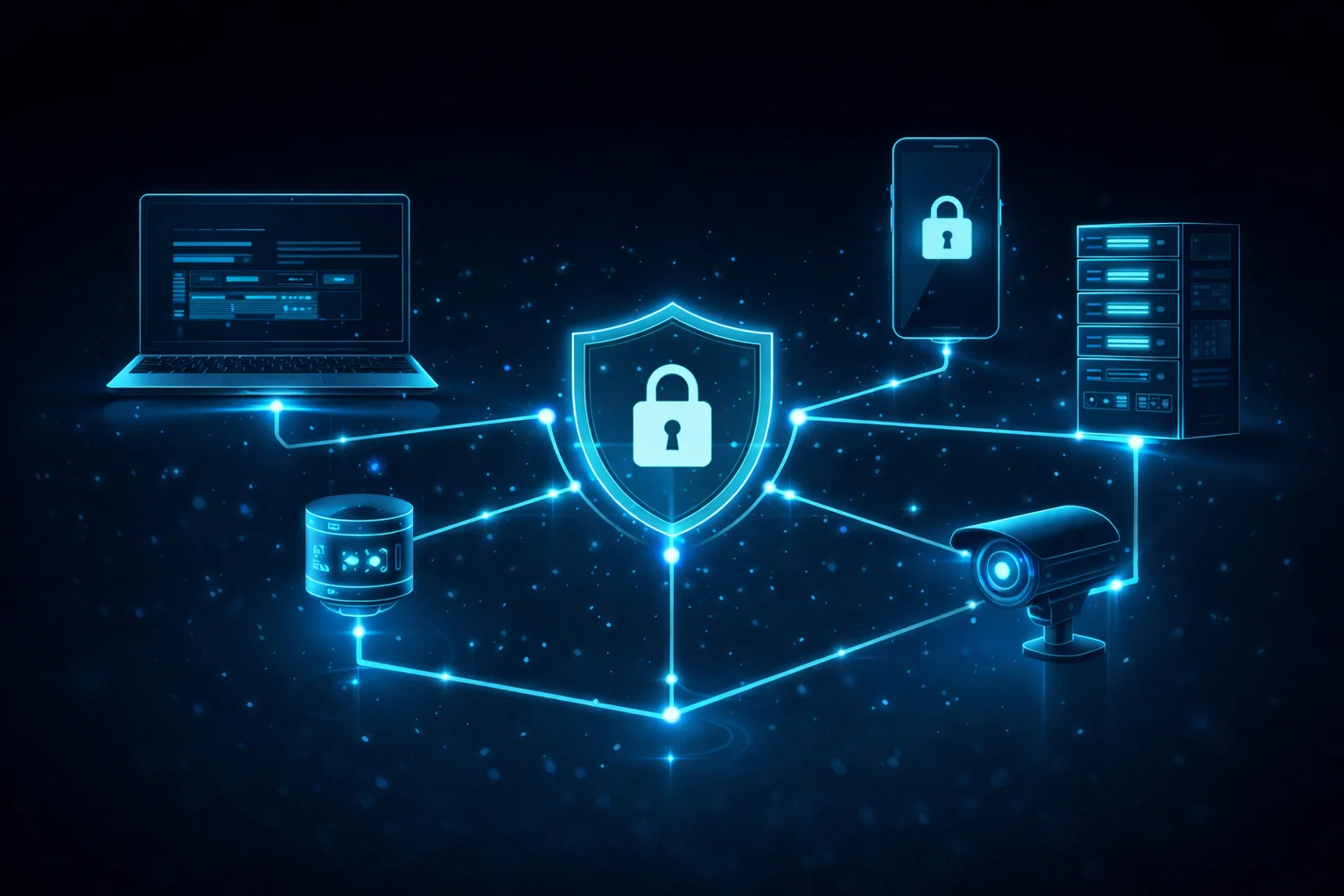
Okay, so let’s talk about something that doesn’t get nearly enough attention in everyday cybersecurity conversations — hosts. If you’ve ever wondered what are hosts in cybersecurity, you’re honestly not alone. Most people hear the term and immediately glaze over, but stick with me here because once it clicks, it changes the way you think about protecting literally everything on your network. what are hosts cybersecurity?
So what exactly is a host in cybersecurity? In the simplest terms possible: a host is any device connected to a network that can send or receive data. That’s it. Your laptop? Host. Your phone? Host. The server running your company’s website? Definitely a host. That random IoT smart coffee maker someone plugged into the office Wi-Fi? Yep — also a host, and probably the scariest one on this list.
Now here’s where things get interesting. For years, most organizations thought they were safe as long as they had a big, beefy firewall sitting at the edge of their network — kind of like a bouncer at a club. The logic was simple: keep the bad guys out, and everything inside is fine. But that model? It’s basically dead now.
The 2024 CrowdStrike incident proved this in the most painful way imaginable. A faulty software update to CrowdStrike’s Falcon agent took down millions of Windows hosts all at once — crashing planes, freezing hospitals, and shutting down financial services globally. No external hacker needed. Just one bad update and the whole thing unraveled. It was a massive reminder that what’s happening inside each individual device matters just as much as what’s happening at the network perimeter.
That’s exactly what host security (or endpoint security, if you want the fancy term) is all about — making sure each individual device is locked down, monitored, and protected on its own terms. Think of it as giving every device in your network its own personal bodyguard, not just relying on the one bouncer at the front door.
Table of Contents
Breaking Down a Secure Host: The Core Stuff
Alright, let’s get into the actual components that make a host secure. Don’t worry — I’ll keep this digestible.
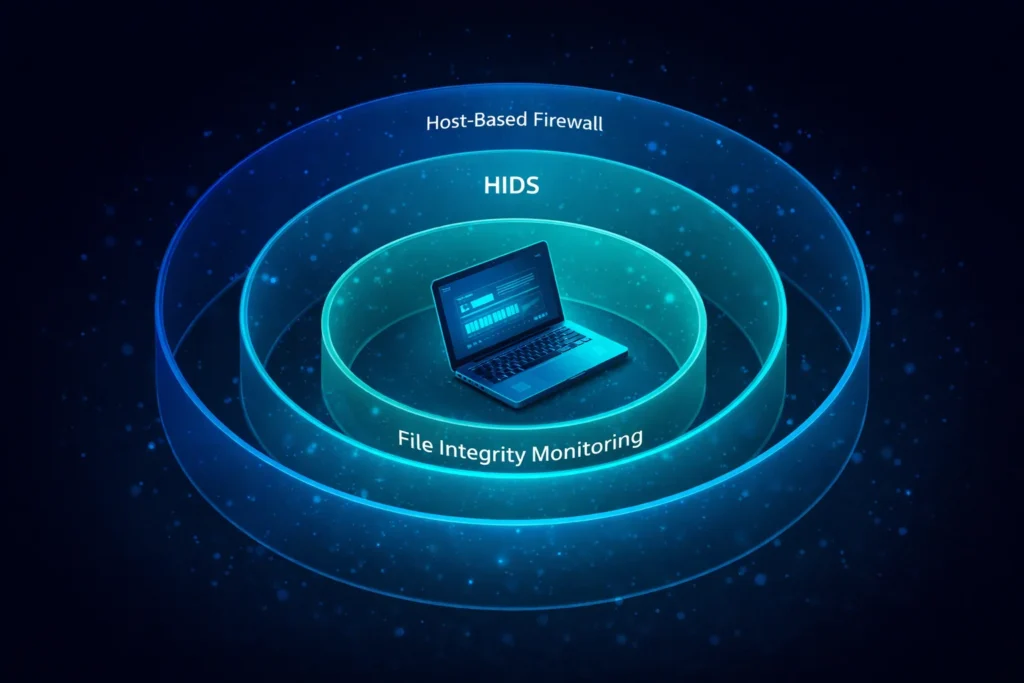
Host-Based Firewalls (HBF) — Your Device’s Personal Bouncer
You’ve probably heard of firewalls before, but a host-based firewall is different from the one sitting at your network edge. This one is installed directly on your device and only cares about traffic coming in and out of that specific machine. It’s like having a personal security detail instead of just relying on venue security.
There are two main flavors:
Packet Filtering Firewalls are the simpler type. They check each incoming and outgoing packet — basically tiny chunks of data — and look at things like the source IP address and port number. If the rules say “block it,” it’s blocked. Fast and lightweight, but kind of shallow — it can’t tell you why something is happening, just what port it’s using.
Application-Level Firewalls are the smarter sibling. These actually watch how specific programs behave. So if your word processor suddenly tries to connect to some sketchy server in another country… yeah, that’s going to get flagged immediately. These are really powerful against sneaky attacks that hide inside legitimate-looking traffic.
Host Intrusion Detection Systems (HIDS) — The Alarm System Inside Your Device
If a host-based firewall is the bouncer, think of a HIDS as the security cameras inside the building. It’s constantly watching everything happening on your device — file changes, login attempts, processes running in the background — and screaming the alarm the moment something looks off.
There are two ways HIDS detects threats:
Signature-Based Detection works like antivirus software — it compares what’s happening to a database of known attack patterns. Great for catching the stuff we’ve already seen before, but totally blind to brand-new threats.
Anomaly-Based Detection is where it gets really cool. Using machine learning, the system learns what “normal” looks like for your specific device — when you usually log in, what processes typically run, how much data you normally transfer. The second something deviates from that baseline? Alert fired. This is your best bet against zero-day attacks and sneaky insider threats.
Host Security vs. Network Security — What’s Actually the Difference?

This trips people up all the time, so let’s clear it up with a quick comparison. Think of it this way: network security is like the fence around your property, and host security is the lock on each individual door inside the house.
| What We’re Comparing | Network-Based Security | Host-Based Security |
|---|---|---|
| Where it sits | At the network edge | On each individual device |
| Line of defense | First line — the perimeter | Second line — inside the system |
| Can it see encrypted traffic? | Nope — encrypted data looks like gibberish | Yes — reads it right from system memory |
| Works for remote workers? | Not really — they’re off the network | Absolutely — travels with the device |
| Scope | Covers everything at once | Super granular, per-device control |
| Catches insider threats? | Barely | Way better at it |
Here’s the big takeaway: you genuinely need both. They’re not competing options — they’re teammates. Network security handles the perimeter; host security handles what happens once something (or someone) gets past it.
And for remote workers specifically? Host security isn’t just important — it’s the only thing standing between their device and a threat when they’re working from a coffee shop or their home network. The corporate firewall back at HQ isn’t helping them at all.
Going Beyond Basic Antivirus: The Cooler Stuff
Here’s the thing about modern host security — it’s so much more than just “run antivirus, hope for the best.” Let’s talk about the features that actually make a real difference.
File Integrity Monitoring (FIM) — Who Touched My Files?!
FIM is honestly one of the most underrated security tools out there. It constantly watches your important system files and configuration files and logs every single change — who made it, what they changed, and exactly when it happened.
Here’s a real-world example of why this matters: imagine an attacker sneaks onto a Linux server and quietly edits the /etc/passwd file to create a hidden admin account. Without FIM, this could fly completely under the radar for weeks. With FIM active, that change triggers an alert the second it happens, with a full audit trail attached. Game over for the attacker.
FIM is especially important for web server config files, SSH keys, firewall rule sets, and Windows Registry entries — basically all the stuff attackers love to quietly mess with to maintain persistent access.
Log Analysis — Finding the Needles in the Haystack
Your devices are constantly generating logs — system logs, app logs, security event logs, authentication records — and most organizations just let them pile up unread. That’s a massive missed opportunity.
When you actually analyze these logs properly and correlate them across sources, you start seeing things that would be totally invisible otherwise. Things like: someone trying to log in 200 times in a row (brute force), a user account accessing files at 3am when they’re normally a 9-to-5 person, or a process running from a weird temporary folder (classic malware staging behavior). Each one individually might seem minor — put them together and you’ve got an incident in progress.
Insider Threat Detection — The Threat from Inside the House
Here’s the uncomfortable truth: not all threats come from outside. Sometimes the danger is the employee who downloads 10,000 customer records to a USB drive right before they quit. Or the compromised account that’s quietly exfiltrating data using perfectly valid credentials.
Network security basically can’t catch this — the person is already inside, using an authorized account, moving through channels they’re allowed to use. But a HIDS? It notices when someone’s behavior suddenly changes. When they start accessing files way outside their normal scope, forwarding unusual amounts of email, or copying data they’ve never touched before. That behavioral baseline is a total game-changer for catching insider threats.
How to Actually Implement This Stuff in 2026

Okay, so you’re sold on host security — great! Now let’s talk about what solid implementation actually looks like in practice.
Keep Your Environments Separate
Use dedicated VPCs (Virtual Private Clouds) and subnets for each environment tier — Development, Staging, and Production. Your dev team’s machines should never have direct access to your production databases. If a dev environment gets compromised, you want that blast radius to be as small as possible.
Lock Down Who Can Do What
Two words: Least Privilege. Every user account should have access to exactly what they need for their job — and nothing more. For larger organizations with complex roles, use Role-Based Access Control (RBAC) to manage this at scale.
And please, use MFA (Multi-Factor Authentication) everywhere. On every host login, every remote access session, every SSH connection. According to Microsoft’s own data, MFA blocks over 99% of credential-based attacks. That’s not a typo. A compromised password alone should never be enough to access anything important.
Encrypt Everything (Seriously, Everything)
Data sitting on your hosts should be encrypted with AES-256 at the disk level. BitLocker on Windows, LUKS on Linux — set it up and forget about it. If a laptop gets stolen, the data is unreadable without the key.
Data moving between hosts and services? SSL/TLS, mandatory, no exceptions. Unencrypted internal traffic is still a shockingly common vulnerability.
For managing secrets — API keys, database passwords, certificates — don’t just throw them in a config file. Use HashiCorp Vault for enterprise environments and tools like yopass for quick one-time secret sharing. Future you will be very grateful.
Stay on Top of Patches
This one’s boring but critical. The majority of successful real-world attacks exploit known vulnerabilities that already have patches available. There’s really no excuse. Set up a regular patching cadence, and proactively retire any software that’s hit End-of-Life status. EOL software is essentially a permanently open window you’re just leaving for attackers.
Pair patching with regular vulnerability scanning using tools like Nessus or OpenVAS to keep a live picture of where your exposure actually is.
Compliance and the Bigger Picture
Here’s a bonus that often gets overlooked: solid host security doesn’t just protect you from attackers — it also keeps the auditors happy.
PCI-DSS Requirement 11.5 literally mandates File Integrity Monitoring if your organization handles payment card data. It’s not optional. Similarly, HIPAA, ISO 27001, and SOC 2 Type II all require documented evidence of endpoint monitoring, access controls, and incident detection — all stuff that a proper HIDS and HBF setup covers naturally.
Basically, investing in host security kills two birds with one stone: you’re more secure and your compliance audits become way less painful.
The XDR Upgrade: Bringing It All Together
If you really want to level up, look into integrating your host security tools into an XDR (Extended Detection and Response) platform. XDR pulls together data from your hosts, network, cloud workloads, email gateway, and identity systems into one unified view.
Instead of getting a host-level alert and having to manually piece together what happened, XDR correlates everything automatically. Suspicious email 20 minutes ago + weird login from a foreign IP + unusual process on a host + data egress spike = connected attack narrative, assembled for you. Platforms like Microsoft Defender XDR, CrowdStrike Falcon XDR, and Palo Alto Cortex XDR are doing this really well right now.
Quick FAQ — The Stuff People Always Ask
What’s the difference between HIDS and NIDS? HIDS watches what’s happening on a specific device — files, processes, logins. NIDS watches traffic between devices on the network. They’re complementary — use both if you can.
Do I really need a host-based firewall if I already have a network firewall? 100% yes. Once someone gets past your network firewall — via phishing, a compromised VPN, or a rogue device — your network firewall does nothing to stop them from moving around internally. The host-based firewall is what stops that lateral movement. And for remote workers? They’re off your network entirely, so the host-based firewall is literally their only protection.
What are the downsides of HIDS? Two main ones: alert fatigue (too many false positives = people stop paying attention to alerts) and resource consumption (HIDS agents run 24/7 and use CPU and memory). Both are manageable with proper tuning and modern lightweight agents, but they’re real things to plan for.
What does “host meaning in cybersecurity” actually mean vs. regular networking? In networking, a host is just any device on a network. In cybersecurity, the host meaning expands to include everything security-related about that device — its vulnerabilities, its access controls, how it’s being monitored, and what protections are applied. It’s the same device, but with a full security story attached to it.
what are hosts Cybersecurity – Conclusion
Here’s the bottom line: every single device on your network is both a potential target and your last line of defense. The days of relying on a perimeter firewall and hoping for the best are long gone.
The good news? Host security has never been more capable. Between HIDS with behavioral detection, host-based firewalls that follow your devices everywhere, FIM that catches the sneaky stuff, and XDR platforms that tie it all together — the tools are genuinely excellent right now.
The organizations that come out ahead in the next few years won’t be the ones who react fastest when something breaks. They’ll be the ones who built proactive, layered, host-level defenses before anything went wrong. Continuous monitoring, automated threat response, solid patching hygiene — none of this is glamorous, but all of it works.
So yeah — start treating your hosts like they matter. Because they really, really do.